Weather Nerd 2.0: Pick Your Model, Compare Them All
July 4, 2026
Weather Nerd 2.0 is the biggest update I've ever shipped. Pick the weather model you trust, see where the models agree and where they don't, and read it all in a redesigned interface built for people who actually care about the data. It's also the first version that runs natively on the Mac.
Choose your forecast model (Pro)
Until now the forecast came from a single blended source. In 2.0, Pro users pick which model powers each location: ECMWF from Europe, ICON from Germany's DWD, GFS, HRRR, and NBM from NOAA, or Canada's GEM family, including GEM-HRDPS at 2.5 km and a 1 km model for western Canada.
Short-range high-res models hand off to a longer-range model past their horizon, so you always get the full 10 days. A subtle seam marker shows where the high-res data ends. Each location highlights a recommended model, your choice syncs across devices via iCloud, and Apple Weather stays the free default for everyone.
Compare every model (Pro)
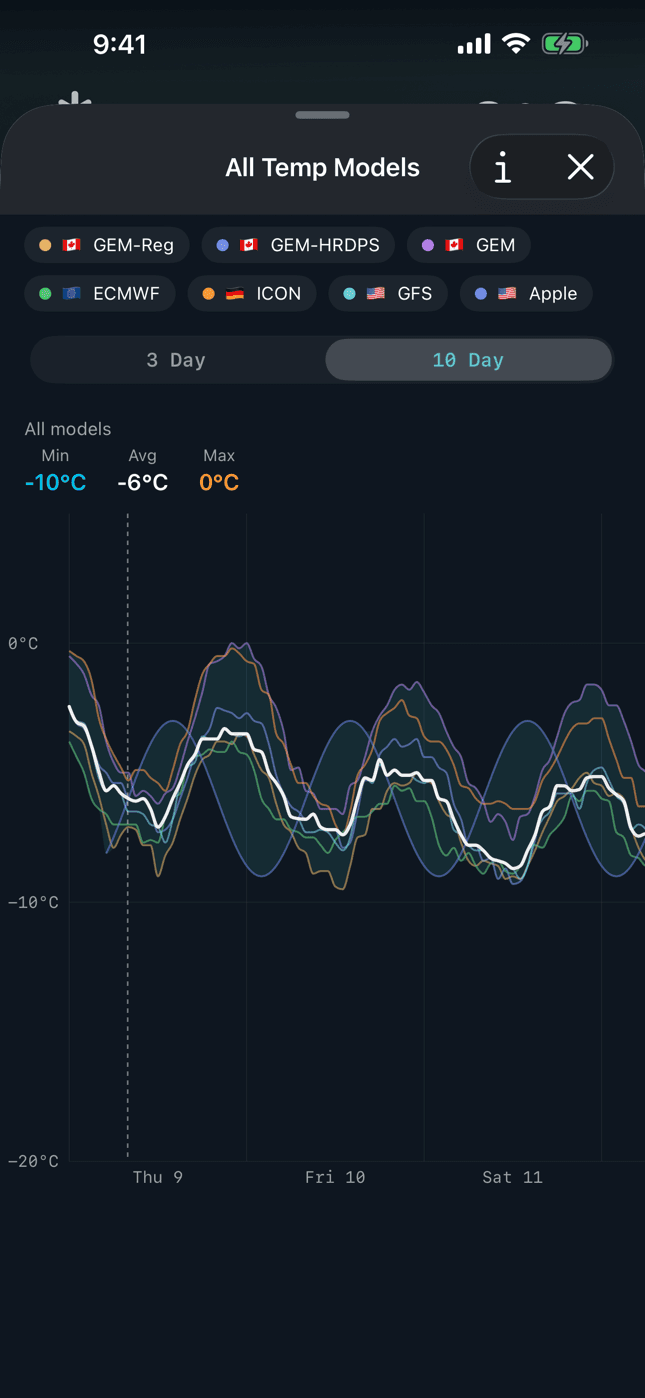
New all-models comparison charts for temperature, precipitation, and wind show every model at once: a calm spread band, a bold median consensus line, and tap any model to isolate it. When the band is tight, trust the forecast. When it fans out, check back later.
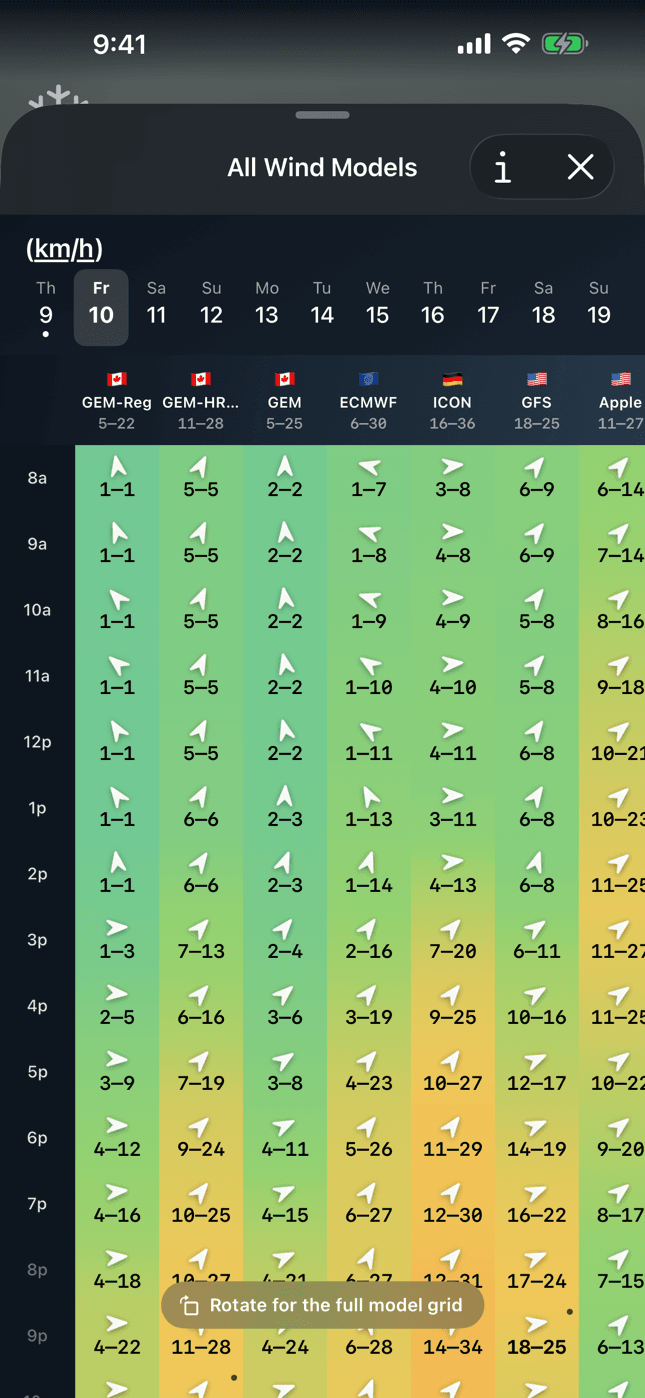
The wind comparison gets a calm-to-storm color ramp, per-day paging, and a Windy-style timeline with a minimap on Mac. Built for sailors, kiters, and anyone who lives by the wind window.
A whole new look
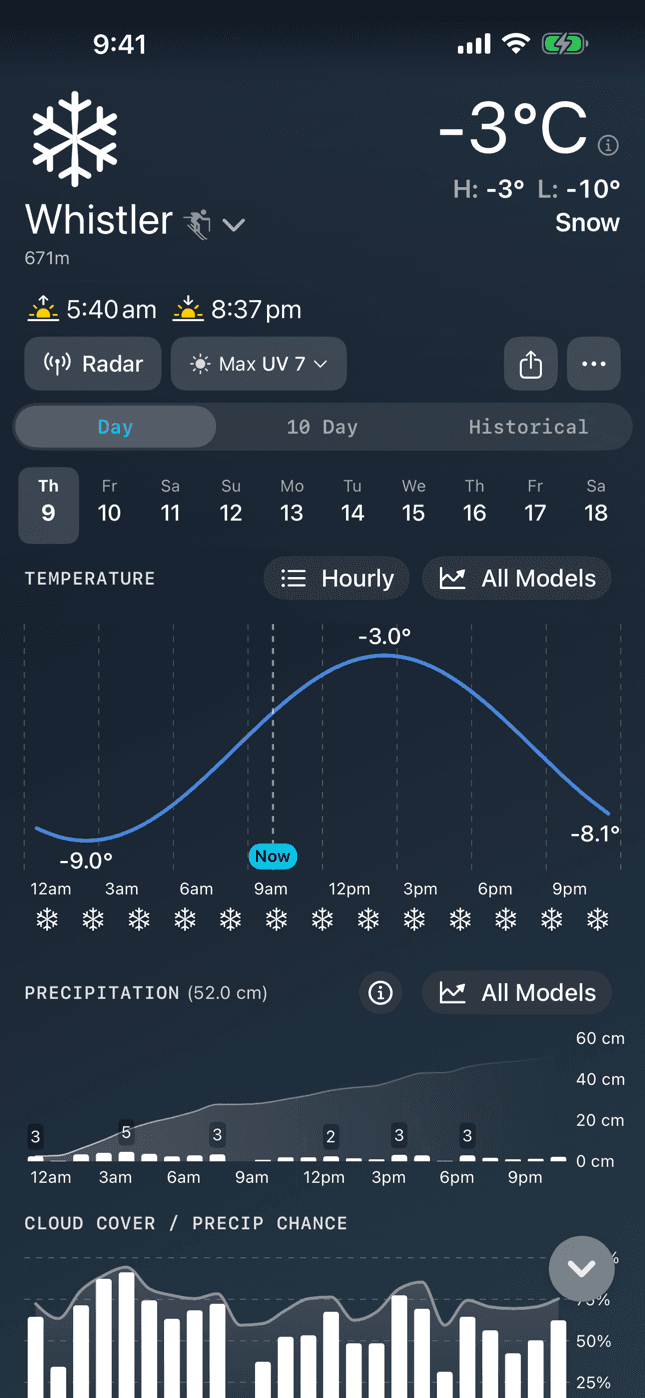
The main screens were redesigned to match the widgets: a dark, flat instrument aesthetic with monospace numerals and a teal accent on one continuous temperature and wind color scale, plus colorful weather icons with subtle motion throughout.
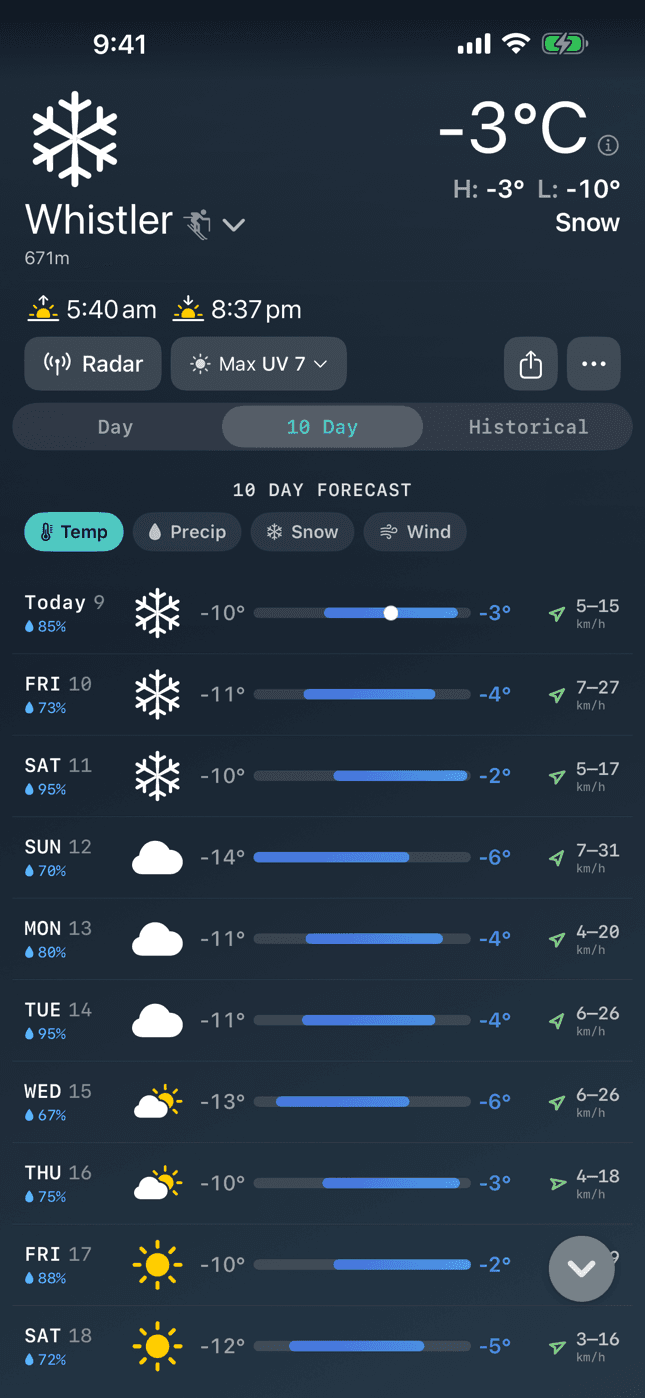
The 10-day forecast is now a calm row-per-day view with Temp, Precip, Snow, and Wind modes auto-picked for each location. Tap any day for a focused detail sheet you can swipe between days.
Weather Nerd comes to the Mac
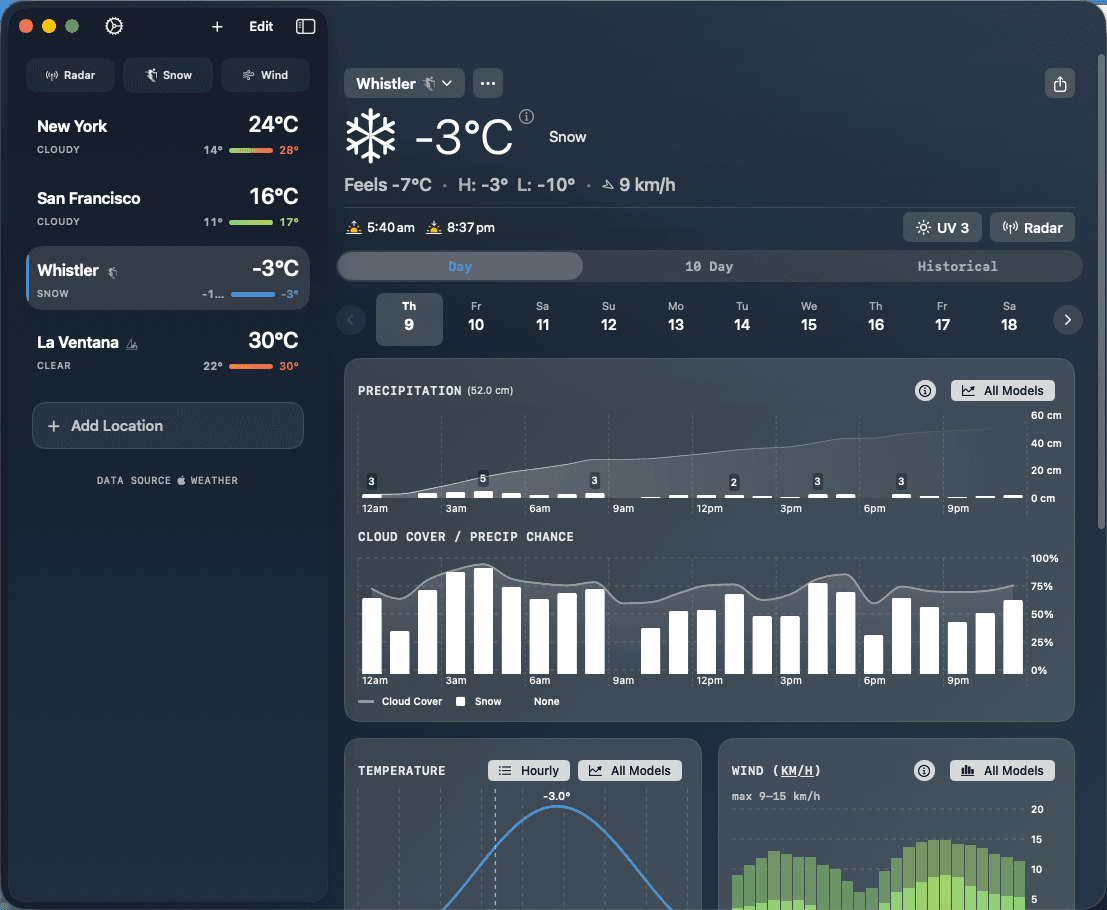
2.0 is the first version for the Mac. It's a real Mac app, not a port that fights the platform: crisp native rendering, keyboard ←/→ to step through days, click any day to open it, and Settings and Radar as right-sized windows. If you plan your weekend from a desk, the full comparison toolkit is there too, including the Windy-style wind timeline with a minimap.
iPad, widgets, and sharing
On iPad (and the Mac), the detail view becomes a two-column card grid built for the big screen. Widgets gain large sizes for Wind and 10-Day, refresh right after the app updates, and survive reinstalls without going blank. A new share menu exports branded images of current conditions, any single day, or the full 10-day outlook.
Accessibility and polish
2.0 honors system text size up to xxLarge, passes a WCAG AA contrast audit, and fixes a long tail of paper cuts: invisible wind glyphs, header overflow with alert chips, dark map chrome, and more. The full list is in the changelog.